Roll Your Army How to Unlock New Troops
Expand your roster through rolls, Skill Tree upgrades, and patch-day pulls — without wasting coins on dead-end paths.
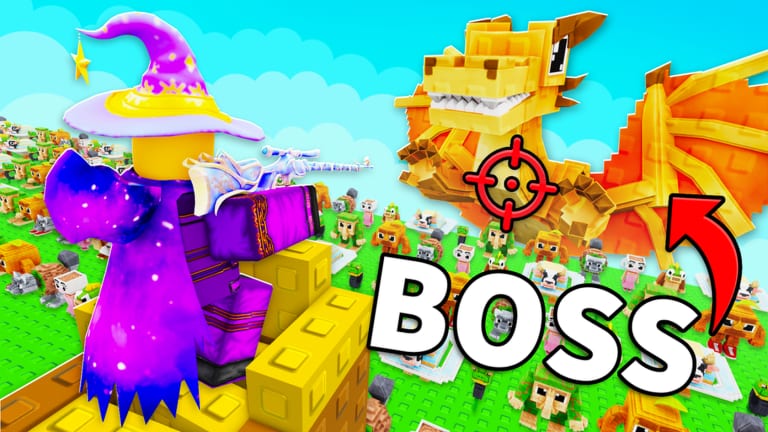
The official Roll Your Army description promises you will unlock new troops and make your base unstoppable — but the game never prints a simple checklist on the loading screen. Troops arrive through the roll gacha, permanent Skill Tree nodes, wave progression rewards, and Saturday content drops from Base Guardians! Some unlocks are instant the moment you pull a higher rarity band; others require coins, luck stacking, or clearing milestone Brainrot waves first. This guide explains every legitimate path to new troops, how to tell a real upgrade from inventory clutter, and when to stop rolling and fix your base layout instead.
How troop unlocks actually work
Roll Your Army treats troops as gacha pulls weighted by your current luck stat. Each roll consumes time or currency and returns a troop card with a rarity color, combat role, and placement rules. There is no separate “unlock menu” listing every unit name — you discover troops by rolling them, then decide whether to place them on the field, keep them on the bench, or sell duplicates for coins.
Unlocking stronger troops therefore means shifting your roll table toward higher bands, not clicking a single purchase button. Permanent Skill Tree luck raises that baseline forever. Lucky Blocks spike it temporarily. Friend and group bonuses stack on top when the developers enable them. The Luck Planner tool walks through that stacking order before long sessions.
Path 1 — Rolling for new troops
Rolling is the primary unlock method from minute one. Follow this progression:
- Finish the tutorial so the roll button, placement grid, and inventory are available — see Getting Started.
- Redeem
UPDATE5in Shop → Codes for free Brainrots that fund early rolls via the codes page. - Buy Luck I and Auto Roll in the Skill Tree before marathon pulling — detailed in the Skill Tree guide.
- Stack luck with Lucky Blocks, friends in server, and group membership per the Lucky Blocks guide.
- Roll until a new band appears, then compare the pull against your current field troops on the troops tier list.
Higher rarity bands unlock organically — you do not need a separate key item for most standard troops. If a roll returns a color you have never seen, treat it as a roster unlock even when the name is unfamiliar.
Path 2 — Skill Tree gates
Several Skill Tree nodes indirectly unlock troop potential:
- Luck I / Luck II — shift roll odds toward rare and legendary bands.
- Auto Roll — multiply attempts per hour so unlocks arrive faster.
- Roll speed nodes — shorten downtime between pulls during Lucky Block windows.
- Friend Luck — requires friends in your server after purchase; coordinate via Discord
HhUDAFWQyt.
Some updates add Skill Tree branches that expand placement limits, bench size, or gold-roll variants. After each Saturday patch, open the Skill Tree and read every new node description — Base Guardians! sometimes hides troop-adjacent unlocks there instead of advertising them on the Roblox page. Cross-check Update 5 notes when [UPD 4] is live.
Path 3 — Wave and progression milestones
Clearing higher Brainrot waves pays better rewards and may gate shop items or roll tables behind progression checks. When you hit a wall wave, unlocking better troops often requires:
- Fixing one-sided leaks in the base defense guide
- Equipping income Brainrots so retries stay affordable — Brainrot income
- Rolling during a stacked luck session after wave income refills your wallet
Sometimes the “unlock” is not a new unit type but permission to afford the next tier — coins from wave N+1 fund rolls that wave N could not sustain. Track your wall wave using the beat Brainrot waves guide before blaming bad RNG.
Path 4 — Saturday update roster additions
Base Guardians! ships updates every Saturday. New troops and Brainrot variants can enter the roll pool without a full patch notes document on Roblox. On patch day:
- Read the Updates hub and featured patch page.
- Redeem the newest UPDATE code immediately.
- Run a short Lucky Block session with Auto Roll enabled.
- Compare fresh pulls to pre-patch inventory using the troops roster hub.
Community Discord screenshots are useful hints but not proof — verify stats on your own troop cards before selling older anchors.
Evaluating a newly unlocked troop
When a new pull lands, ask four questions before placing it:
| Question | Action if yes |
|---|---|
| Is the rarity band higher than my worst field unit? | Replace the weakest piece in that role |
| Does it cover a leak side my layout lacks? | Place at the failing choke — base defense |
| Is it a duplicate of something already equipped? | Sell or bench unless merge rules change in a patch |
| Is it economy-focused instead of combat? | Compare on Brainrots tier list if hybrid |
Never mass-sell pre-patch Epics on patch day until you run five test waves — balance tweaks can buff old troops overnight.
Common unlock mistakes
- Rolling without Auto Roll — manual clicking wastes Lucky Block timers.
- Skipping Skill Tree luck — consumable blocks cannot fix a zero baseline.
- Chasing names from YouTube thumbnails — verify bands on your account; creators may use different game versions.
- Ignoring placement — a legendary troop placed on a bad tile loses to a well-positioned rare.
- Using external scripts — see the scripts hub; executors risk bans and may auto-sell troops you wanted to keep.
Unlock order for new accounts
Recommended sequence for fastest roster growth:
- Tutorial + UPDATE5 code
- Luck I → Auto Roll → first Lucky Block (if affordable)
- Replace lowest field tier after each session
- Push one wave past your wall with layout fixes
- Repeat on Saturday patch days with fresh codes
This mirrors the official loop: roll troops, place defenders, kill Brainrots, equip income Brainrots, buy Lucky Blocks, expand Skill Tree.
Related pages
- Getting Started — day-one checklist
- Skill Tree — permanent unlock multipliers
- Lucky Blocks — temporary rarity spikes
- Troops tier list — band priority framework
- Troops roster — role and naming conventions
- Codes — UPDATE5 redemption
Unlocking troops is a marathon of stacked luck and smart placement — not one lucky roll. Build the systems that make rare bands appear often, then field the best pull you earn each session.
Frequently Asked Questions
Quick answers about Roll Your Army Roblox.
How do I unlock new troops in Roll Your Army?
Primarily by rolling with stacked luck from the Skill Tree, Lucky Blocks, and friend or group bonuses. Higher rarity bands appear as you raise your luck stat and clear harder waves.
Do I need Robux to unlock better troops?
No. Robux can speed up progress through shop purchases, but free players unlock stronger troops via Skill Tree luck, codes like UPDATE5, and efficient wave income.
Does the Skill Tree unlock specific troop names?
Usually it unlocks luck, Auto Roll, and roll speed that improve your odds. Some updates add nodes that expand placement or special roll types — check the tree after each Saturday patch.
When do new troops release?
Base Guardians! targets Saturday updates. New units may enter the roll pool on patch day — read the Updates hub and redeem the latest UPDATE code first.
Should I sell a new troop if I already have a full layout?
Compare its band to your weakest field unit first. Bench or sell only after confirming it does not beat an equipped piece on the troops tier list.