Roll Your Army Official Links
Roblox page, Discord, and Base Guardians group — codes, Gummy Event news, and Saturday updates.
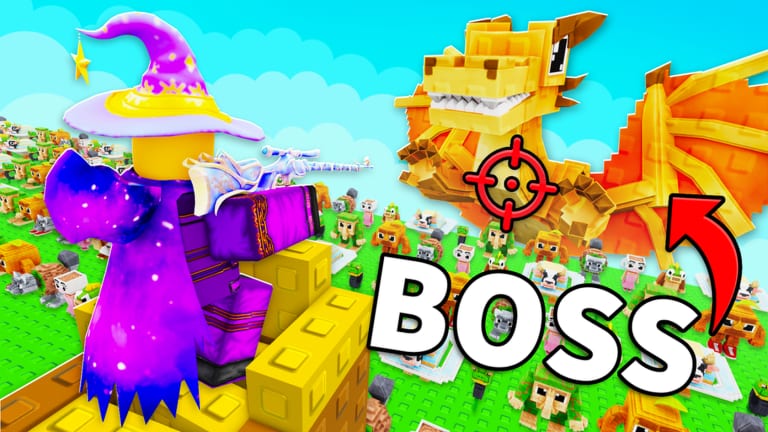
This page collects official and primary sources for Roll Your Army — the Roblox base-defense game by Base Guardians! where you roll troops, defend against Brainrot waves, equip income Brainrots, and expand your Skill Tree. Third-party wikis and YouTube videos can drift out of date within a single Saturday patch. Bookmark the links below for codes, the candy title tag, and community announcements straight from the developers.
Official Roblox experience
The live game page is the first place to check for:
- Title tags showing the current update number
- Description text with active promo codes such as
UPDATE5,ADMINABUSE, andGUMMYEVENT - Player counts, likes, and favorite milestones that sometimes trigger code drops
- The Store tab for developer products and Lucky Block purchases
Favorite the experience so Roblox notifies you when Base Guardians! ships Saturday updates. Cross-check any code you see here with our codes page for redemption steps and troubleshooting.
Discord (invite expired)
The invite HhUDAFWQyt that GameRant, Nerds Chalk, and older wiki copies still publish expired as of 3 September 2026 (Discord API code 50270). Do not click recycled YouTube description links that reuse that slug.
Until Base Guardians! posts a new invite:
- Use the Roblox experience social row if a fresh Discord button appears
- Use the Base Guardians! group shout and forums for Saturday news
- Treat random Discord URLs in executor videos as impersonators
This wiki will restore a Discord hyperlink only after we verify a live invite again.
Base Guardians! Roblox group
Base Guardians! (owner KubaaaHD / xKubq) develops Roll Your Army. Join from the experience creator row. There is no public official Trello at the time of writing — ignore random Trello links unless Discord or the Roblox page points to them. Joining the group often supports:
- Group luck or bonus perks when the developers enable them for members
- News posts about milestones, events, and code campaigns
- A verified path to developer announcements without impersonator links
Open the game page, tap the group link under the creator name, and join while logged into the account you play on. If group luck is active, stack it with the Luck Planner before rolling.
How these links fit the wiki
Use official sources for timely facts — codes, update numbers, maintenance. Use this wiki for structured learning:
- Getting Started for day-one progression
- Make money and increase luck for economy and rolls
- Updates hub for Update 5 and post-Gummy patches
- Tier list hub for S through D rarity guidance without fake unit names
- Tools hub for pre-roll checklists
We are not affiliated with Base Guardians! or Roblox Corporation. When official text disagrees with a guide here, trust the Roblox description and Discord first, then expect us to catch up after verification.
Safety reminders for external links
- Only download Roblox from roblox.com or official app stores.
- Never share passwords with “free Robux” sites or script executors — see the scripts hub for risks.
- Ignore fake Discord invites that misspell Base Guardians or promise leaked admin panels.
Related pages
- Codes — redeem UPDATE5 in Shop
- Updates — Saturday patch tracker
- Guides hub — mechanics walkthroughs
Save the Roblox page and Discord invite. Check them every Saturday, redeem the newest code, then return to the wiki for build and tier guidance.
Frequently Asked Questions
Quick answers about Roll Your Army Roblox.
What is the official Roll Your Army Roblox link?
https://www.roblox.com/games/83660368690441/Roll-Your-Army — favorite it for update notifications and read the description for active codes.
What is the Roll Your Army Discord invite?
The previously published invite HhUDAFWQyt expired in early September 2026. Open the Roblox experience or the Base Guardians! group and copy a fresh invite from there. Do not trust random Discord links in YouTube descriptions.
Who develops Roll Your Army?
Base Guardians! (KubaaaHD / xKubq). Join https://www.roblox.com/communities/531274056 from the experience page for news and possible group luck perks.
Is this wiki an official site?
No. This is a fan-made resource. Confirm codes and updates on the Roblox page and Discord before relying on third-party summaries.
Where do I redeem UPDATE5?
Inside the game: Shop → Codes. Also redeem ADMINABUSE and GUMMYEVENT. See the codes page for full steps. The Roblox description lists all three.