Roll Your Army Patch Notes
Saturday update tracker — Gummy Event, codes, balance, and post-patch checklists.
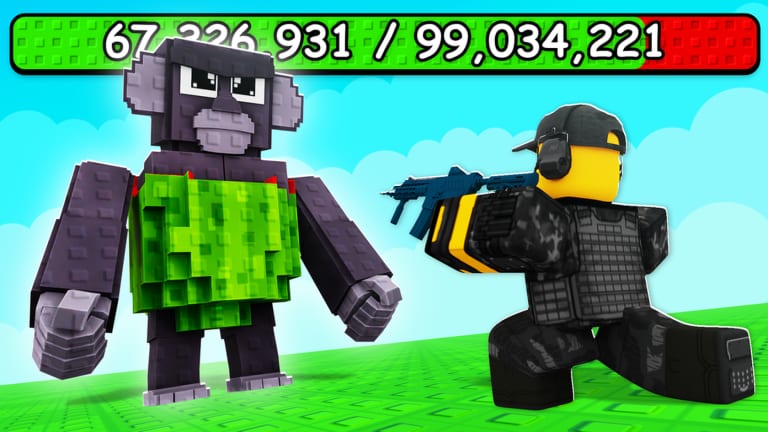
Roll Your Army ships content every Saturday according to the official Roblox experience description from Base Guardians!. That cadence means codes, troop bands, Brainrot income, wave scaling, and shop prices can shift weekly even when the core loop — roll, place, defend, equip, upgrade — stays the same. This hub collects patch write-ups so you know what to retest after logging in, which promo codes to redeem first, and when tier lists or guides need a second read.
The live title is currently [🍬] Roll Your Army! ⚔️ after the 15 August 2026 Gummy Event rename. Created 31 May 2026 by KubaaaHD / xKubq under the Base Guardians! group. Public trackers show earlier tags such as [UPD 2] and [UPD 4] before the candy branding. We only create a numbered page when the Roblox title or description actually changes — we do not invent Update 6 or Update 7 notes.
How Roll Your Army updates work
Base Guardians! typically pushes numbered or themed updates on the game title. Patches often bundle:
- Balance changes to troop damage, Brainrot income, or wave health
- New rarity content in higher bands without always announcing every name publicly
- Shop and Skill Tree tweaks to costs or node effects
- Promo codes tied to the update or event — enter them in Shop → Codes
- Bug fixes for placement, Auto Roll, or UI freezes after long sessions
- Live events such as Admin Abuse windows and seasonal tags like Gummy
Because Roblox experiences can hotfix without a long forum post, treat Discord announcements and the Roblox description as primary signals, then confirm changes in-game. There is no public official Trello board at the time of writing.
Featured update pages
Post-Gummy Saturday patches
Silent Saturdays after 15 August 2026. The candy title stayed; MXBLOX still stamped 25 August 2026. Use this page when there is no new [UPD 6] tag but you still need a retest checklist.
Update 5 — Gummy Event
Current headline. Candy title tag from 15 August 2026. Shop codes UPDATE5, ADMINABUSE, and GUMMYEVENT. Read the changelog summary, then the Gummy Event guide for spend order and the Admin Abuse guide if Discord announces a hop-in.
Update 4 (UPD 4)
Previous numbered patch (title tag [UPD 4], around 8 August 2026) and the retired UPDATE4 string. Kept for history so you can see what rotated out.
Bookmark this hub and return each Saturday morning in your timezone.
Post-update checklist
Run this routine after every patch to avoid losing progress to stale assumptions:
- Redeem the newest Shop codes before farming. Start with
UPDATE5,ADMINABUSE, andGUMMYEVENT. Details on the codes page. - Read patch notes on this hub and re-check tier lists for band changes.
- Replay three to five Brainrot waves with your existing layout. Note leak sides and DPS drops.
- Open the Skill Tree and confirm node costs or descriptions did not change.
- Run one Lucky Block session if the patch mentions luck or shop items — use the Luck Planner first.
- Update your base layout using the base defense guide if wave scaling increased.
Skipping step three is how players mass-sell Epic bands that received silent buffs.
Where developers announce changes
Official channels beat third-party rumor every time:
- Roll Your Army on Roblox — title tags such as the candy icon or
[UPD 4], plus description text with active codes - Official Discord — Saturday posts, code drops, Admin Abuse times, and maintenance
- Base Guardians! Roblox group — group-luck bonuses and news
This wiki is fan-made and unofficial. We summarize verified in-game text and public tracker posts, but always confirm rewards yourself after redeeming.
Updates versus guides and tier lists
Patch notes tell you what changed; guides tell you how to play around those changes. After a major update:
- Revisit Getting Started if onboarding or tutorial flow changed
- Re-read Skill Tree and Lucky Blocks when shop or luck systems move
- Refresh troops and Brainrots tier bands when balance notes mention combat or income
- Open event guides when a title tag is seasonal — currently Gummy Event
If a patch only fixes bugs, you may skip tier relists — but still redeem new codes.
Historical updates and expired codes
Roll Your Army is early in its live-service life (launched 31 May 2026). When older UPDATE codes stop working, we note expiration on the codes page rather than deleting history. Expired codes do not refund missed rewards — set a Saturday reminder instead.
Related links
- Codes hub — working and expired promo codes
- Guides hub — mechanics that patches often touch
- Official links — Roblox, Discord, and group shortcuts
- Scripts hub — reminder that executors violate Roblox ToS especially after anti-cheat patches
Check this hub every Saturday, redeem the latest codes, run the checklist, then dive into the featured update page for detailed notes.
Frequently Asked Questions
Quick answers about Roll Your Army Roblox.
When does Roll Your Army update?
The official Roblox description states updates every Saturday. Join Discord for exact maintenance times, Admin Abuse windows, and code drops.
What is the latest Roll Your Army update?
The live title is still the Gummy Event candy tag after Update 5 (15 August 2026). Saturday hotfixes continued (MXBLOX stamp 25 August). Read Update 5 plus the post-Gummy patches page.
Do updates reset my base or roster?
Progress generally persists. Patches may rebalance stats, add units, or change costs — retest waves instead of assuming old layouts still work.
Where do new codes appear after patches?
Usually in the Roblox description and Discord first. Redeem in Shop → Codes — see the codes page for step-by-step help.
Should I reroll my army after every update?
Not necessarily. Run the post-update checklist, compare tier bands, and replace only roles that underperform after balance changes.