Roll Your Army Tools
Planning utilities for luck stacking, rolls, and efficient Saturday sessions.
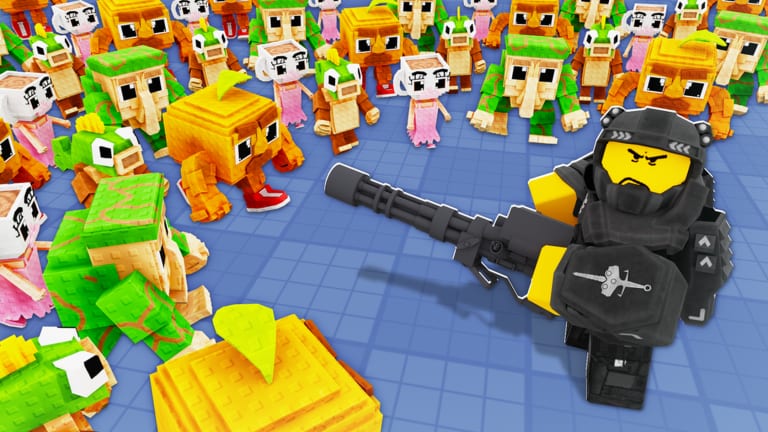
Tools on this wiki help you plan Roll Your Army sessions without replacing the core gameplay loop. Base Guardians! hides exact luck math behind server-side rolls, but you can still stack legitimate bonuses before spending coins on Lucky Blocks or burning an hour on Auto Roll. This hub links every interactive or checklist tool we publish — starting with the Luck Planner — plus reference pages that pair well with guides and tier lists.
Why tools matter in Roll Your Army
Progression is RNG-heavy: troops, Brainrots, and rarity colors all flow from the roll button. Small bonuses — friend luck, group membership, Skill Tree nodes, temporary Lucky Blocks — multiply over hundreds of pulls. Players who roll cold often feel “unlucky” when they simply skipped free buffs advertised on the Roblox page and Discord.
Tools do not guarantee Secret-tier drops. They ensure you never start a marathon session below your account’s real luck ceiling.
Featured tool
Luck Planner
Step-by-step checklist before long rolling sessions:
- Confirm Skill Tree luck and Auto Roll are unlocked
- Redeem active codes such as
UPDATE5on the codes page - Join a friend server for friend-luck nodes if purchased
- Like the game and join the Base Guardians group when group luck applies
- Purchase and activate Lucky Blocks at the right time
- Set realistic stop rules so you bank upgrades instead of infinite rolling
Use the Luck Planner after every Saturday patch — Update 5 notes sometimes change shop items or luck stacking behavior.
Tools versus guides
Guides teach systems in depth. Tools compress those systems into action lists you run before playing. Recommended flow:
- Read Getting Started once for account setup.
- Read Skill Tree, increase luck, and Lucky Blocks when you unlock those menus.
- Open the Luck Planner before each focused roll session.
- Cross-check results on troops and Brainrots tier lists before selling new pulls.
If a tool checklist mentions a menu you cannot find, verify controls — patches occasionally move Shop or Skill Tree buttons.
What we do not build here
This wiki does not host script injectors, roll simulators that claim exact Secret drop rates, or Robux generators. Those violate Roblox rules or mislead players with fake math. For automation questions, read the scripts hub safety section and prefer in-game Auto Roll.
Session planning tips
Even without opening the Luck Planner, keep these habits:
- Patch day: redeem codes → read updates → run planner → roll
- Wave stuck day: skip rolling → fix base defense → return tomorrow
- Income day: equip Brainrots per Brainrot income → fund Skill Tree → roll on a luck-stacked day
Short intentional sessions beat overnight AFK grinding for both account safety and roster quality.
Future tools
As Roll Your Army grows, this hub may add layout planners, wave calculators, or code reminder widgets. Each addition will link from here with the same rules: fan-made, unofficial, no fake drop rates, and always paired with verify steps after Saturday updates.
Related resources
- Codes page — working UPDATE codes before luck sessions
- Tier list hub — evaluate pulls after rolling
- Official links — Roblox, Discord, and group shortcuts for announcements
- Guides hub — deep dives behind each checklist item
Open the Luck Planner before your next roll block. Stack every free buff once, roll with purpose, then upgrade your base with whatever bands appear.
Frequently Asked Questions
Quick answers about Roll Your Army Roblox.
What tools does Roll Your Army wiki offer?
The Luck Planner checklist is the primary tool. It stacks Skill Tree luck, codes, friend bonuses, group perks, and Lucky Blocks before rolling.
Do tools guarantee rare troops?
No. Luck bonuses shift odds but rolls stay random. Tools prevent you from rolling without the buffs you already unlocked.
When should I use the Luck Planner?
Before long Auto Roll sessions, after buying Lucky Blocks, and on patch days when codes or shop luck items change.
Are roll simulators listed here?
No. We do not publish fake drop-rate calculators. Use tier lists and official patch notes instead.
Where do codes fit into tool checklists?
Redeem UPDATE5, ADMINABUSE, and GUMMYEVENT in Shop before rolling. A Money Potion or free Brainrots (confirm the popup) funds more luck upgrades.